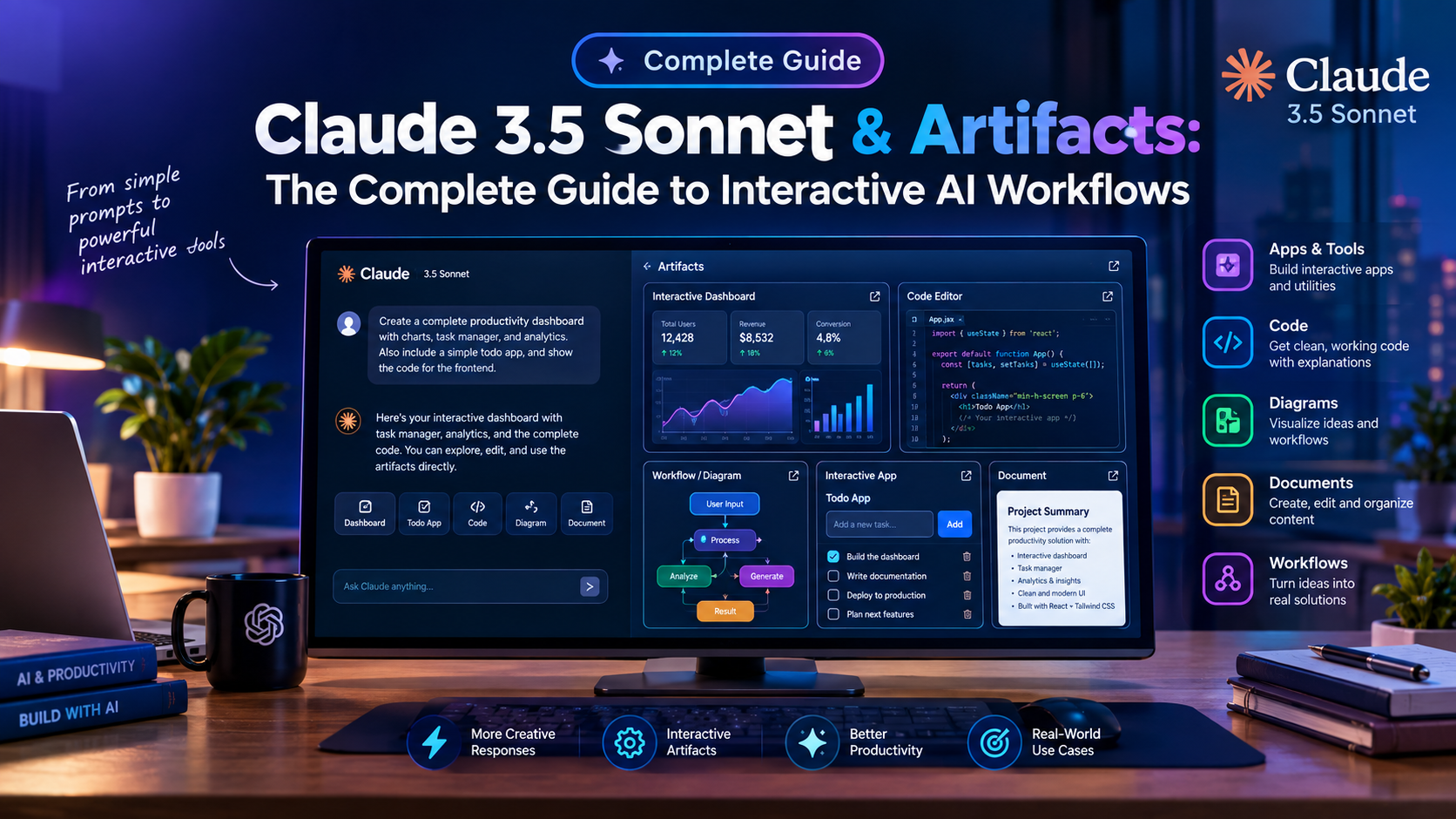
For years, developers, UI/UX designers, and product managers using artificial intelligence were trapped in a frustrating, repetitive cycle: prompt an AI model, wait for a long block of code to generate inside a chat window, copy-paste the code into a local IDE, compile the application, check for visual bugs, and switch back to the browser to request changes. Anthropic fundamentally shattered this barrier with the release of Claude 3.5 Sonnet and its revolutionary Artifacts UI workspace. In this comprehensive claude 3.5 sonnet artifacts guide, we explore how interactive canvas rendering, live React compilation, SVG generation, and Project Knowledge Bases accelerate digital product creation by 10x.
Instead of treating AI output as static conversational text, Artifacts create a dedicated side-by-side interactive window where code compiles, renders, and executes live in real time. Whether you are building complex SaaS analytics dashboards, mapping distributed cloud architecture using Mermaid.js diagrams, or constructing standalone single-page tools, understanding how to control this workspace is a fundamental skill. To refine your textual instructions before launching complex builds, make sure to read our comprehensive prompt engineering guide 2026.
What Are Claude Artifacts & How Do They Work?
An Artifact is a standalone, high-value content workspace generated by Claude 3.5 Sonnet when a prompt requires content exceeding 15 lines of code or complex visual formatting. When Claude identifies that a user needs a visual prototype, vector graphic, interactive calculator, or structured documentation, it automatically spawns a dedicated split-screen container on the right side of your interface.
Under the hood, the Artifacts workspace operates an isolated web iframe environment capable of executing modern web technologies natively. Users can interact with buttons, filter data tables, toggle dark/light modes, and inspect live visual changes instantly without leaving the chat thread. To read official framework specifications, visit the official Anthropic Claude documentation.
Key Advantages Over Traditional LLM Chat Interfaces
- Live Interactive Execution: Renders React components (utilizing Tailwind CSS and Lucide React icons), clean HTML5 canvas graphics, dynamic SVGs, and markdown documents directly in the browser iframe.
- Targeted Inline Iterations: Allows creators to request granular design tweaks (such as “change the primary button color to electric indigo and add a search filter”) without waiting for the model to re-generate the entire 500-line codebase.
- One-Click Code & File Exporting: Every individual Artifact window includes native “Copy Code” and “Download File” controls, allowing instant export of
.tsx,.html, or.svgfiles into local IDEs like VS Code or Cursor. - Multi-Artifact Version History: Automatically preserves version controls, enabling developers to compare earlier design iterations against updated components with a single click.
Mastering Project Knowledge Bases (200K Context Window)
While individual Artifacts handle instant frontend compilation, combining them with Claude Projects unleashes true enterprise potential. Claude 3.5 Sonnet features a massive 200,000-token context window that allows teams to upload entire code repositories, brand style guides, SQL database schemas, and Figma design tokens directly into persistent project memory.
When you attach custom design system guidelines to a Claude Project, every generated Artifact automatically inherits your company’s primary brand hex codes, typography rules, button border radii, and coding standards. This eliminates the need to repeatedly prompt the AI with foundational styling rules during every new chat session.
3 High-Impact Real-World Use Cases & Prompt Recipes
Use Case 1: Prototyping Interactive SaaS Dashboards in Seconds
Traditional wireframing tools take hours to mockup functional UI data tables. With Claude 3.5 Sonnet, product managers can describe desired analytics views and receive a fully functional, responsive React dashboard in under 30 seconds.
# PROMPT RECIPE:
Act as a Senior Principal UI/UX Frontend Engineer. Construct a modern, responsive SaaS Revenue Analytics Dashboard using React, Tailwind CSS, and Lucide React icons.

Include the following sections in a single interactive Artifact:
1. Top Metric Cards: Monthly Recurring Revenue (MRR), Active Paid Users, Churn Rate %, and Average Order Value (AOV) with trend indicators.
2. Interactive Filters: Date range picker toggle (7 Days, 30 Days, 90 Days) and search filter.
3. Data Table: Recent customer transactions with status badges (Paid, Pending, Failed) and sorting capabilities.
4. Styling: Clean dark mode aesthetic with slate backgrounds and emerald green accent highlights.
Use Case 2: Generating Resolution-Independent SVG Vector Assets
Unlike raster AI image generators (such as Midjourney or DALL-E) that produce static pixelated JPEGs, Claude 3.5 Sonnet can write raw, resolution-independent Scalable Vector Graphics (SVG). These vectors can be scaled infinitely without quality loss, inserted directly into web codebases, or opened in vector editors like Adobe Illustrator and Figma.
# PROMPT RECIPE:
Generate a clean, modern vector illustration (SVG) depicting a futuristic AI cloud server architecture. Use vibrant gradient strokes, glowing node connections, isometric perspective, and clean grouping tags. Render directly in an Artifact window so I can preview the visual.
Use Case 3: Interactive Financial & Educational Calculators
Educators and financial advisors can leverage Artifacts to build custom interactive learning widgets. Users can adjust input sliders and instantly view recalculating outputs in real time.
# PROMPT RECIPE:
Build a complete, interactive Compound Interest & Wealth Accumulation Calculator as a standalone React component. Include input sliders for Initial Deposit ($), Monthly Contribution ($), Annual Interest Rate (%), and Investment Horizon (Years). Render live charts and an annual breakdown schedule inside the Artifact.
Mermaid.js Architectural Diagramming
Beyond code and graphics, this claude 3.5 sonnet artifacts guide highlights Claude’s ability to render complex technical diagrams using Mermaid.js syntax. Engineering managers can prompt Claude to visualize microservice architectures, user authentication flows, and database entity-relationship (ER) diagrams automatically.
# PROMPT RECIPE:
Create an interactive Mermaid.js sequence diagram showing the step-by-step authentication flow between a Client Browser, Next.js API Server, OAuth Provider, and PostgreSQL User Database. Render live inside an Artifact preview.
Best Practices for Writing High-Quality Artifact Prompts
- Specify Tech Stack Explicitly: Always state your desired frameworks upfront (e.g., “Use React 18, Tailwind CSS, and Lucide icons”) to ensure code compatibility.
- Request Single-Component Scope: When generating React Artifacts, ask Claude to bundle helper functions inside a single export component to avoid compilation errors in the preview window.
- Iterate Incrementally: Instead of prompting for 50 complex features in your initial query, build the baseline layout first, and then prompt for additional interactivity step-by-step.
- Enforce Mobile Responsiveness: Explicitly instruct the model to include Tailwind responsive utility classes (
md:grid-cols-3,sm:p-4) so your preview scales across desktop and mobile viewport sizes.
Troubleshooting Common Artifact Rendering Issues
Occasional compilation errors can occur in the preview panel. Below are verified engineering solutions for frequent issues:
- Missing External Imports: If an Artifact shows a blank screen, ensure the prompt explicitly restricts imports to supported native libraries like Lucide React or standard HTML5 elements.
- Truncated Code Output: If code cuts off mid-script on massive files, simply reply: “Continue generating the Artifact code starting from line X without altering existing logic.”
- CSS Styling Mismatches: If Tailwind classes fail to render, remind Claude to use standard Tailwind v3 class names rather than experimental custom plugins.
Frequently Asked Questions (FAQs)
Q1: Can I export code directly from a Claude Artifact to my local project?
Yes! Every Artifact window features dedicated “Copy Code” and “Download File” buttons, allowing instant export of clean .tsx, .html, or .svg files directly into your local development workspace.
Q2: What libraries are natively supported inside Claude Artifact previews?
Artifacts natively support React, Tailwind CSS, Lucide React icons, standard HTML5 Canvas, SVG vectors, and Mermaid.js architectural diagramming frameworks.
Q3: Is the Artifacts feature available on the free tier of Claude?
Yes, Anthropic makes the Artifacts UI feature available to all users, including those on free tier accounts, with higher daily usage limits available for Claude Pro subscribers.
Q4: Can Claude Artifacts connect to live backend SQL databases?
No. Artifacts run in a client-side web browser sandbox. For database interactions, you can use Artifacts to build the frontend visual UI and mock backend data using local JSON arrays.
Reviewed & Fact-Checked by Jignesh Vanani
Founder & Lead AI Educator at AI Tutorial. All prompt recipes, React dashboard templates, and visual Artifact workflows in this claude 3.5 sonnet artifacts guide were created and tested live in active development projects.